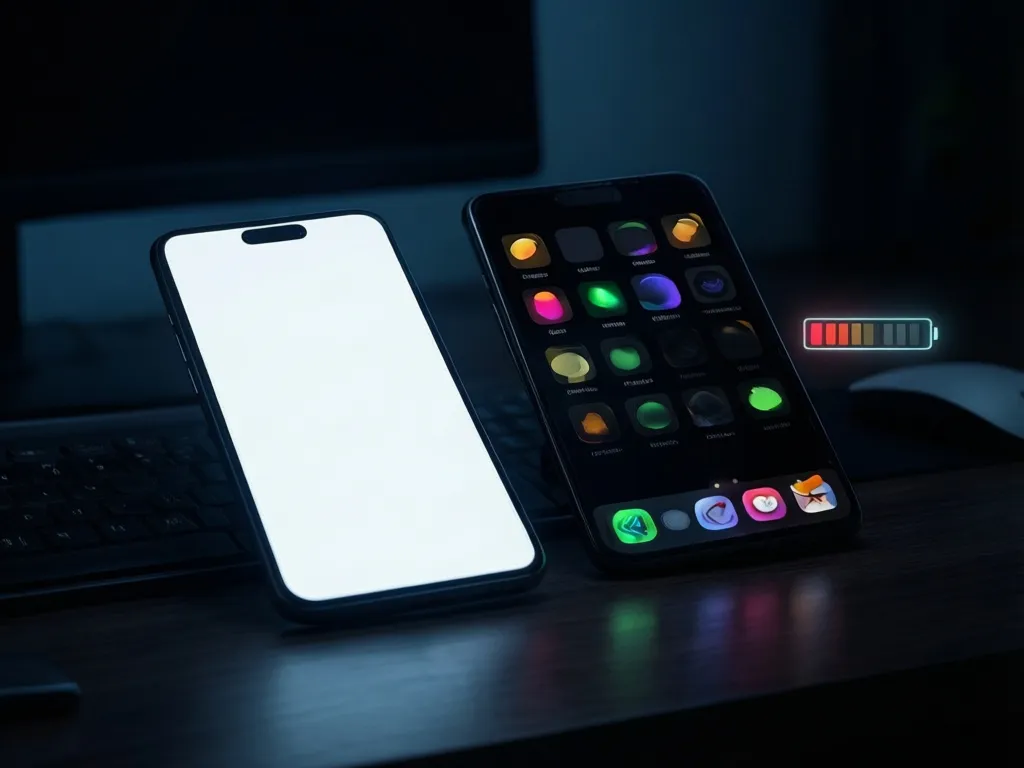
When dark mode can save energy
Dark mode can lower power use on some devices because pixels on OLED and AMOLED displays emit light individually. Dark pixels can therefore use less energy than bright ones. That basic idea is real, but the result is not universal. The savings depend on the screen technology, the brightness setting, and what is being shown on the display.
The strongest case for energy savings is a phone or other device with an OLED display, used at medium or higher brightness, with a largely dark interface. In that situation, the display may draw less power because many pixels are either off or emitting very little light. The benefit is usually smaller when the screen is dim or when the interface still contains many bright elements such as images, charts, or white backgrounds inside cards and menus.
On devices with LCD screens, dark mode usually does not create the same direct display savings. LCDs use a backlight that stays on regardless of whether the screen content is light or dark. Changing the interface colors can still affect power a little in some cases, but the effect is typically much smaller than on OLED.
Why the screen type matters
To understand the difference, it helps to separate the display from the rest of the device. On an OLED screen, each pixel produces its own light. Black or very dark pixels can be effectively off, so they draw less power. On an LCD screen, the backlight illuminates the whole panel, and the liquid crystal layer controls how much light passes through each pixel. Because the backlight is still active, the color scheme of the content has less influence on total display power.
This means that a statement like “dark mode saves battery” is only partly true. A more accurate statement is that dark mode can save battery on some devices and under some usage conditions, especially on OLED screens. It is not a universal energy reduction strategy.
When the savings are likely to be noticeable
Dark mode is more likely to help when a few conditions line up. The first is an OLED or AMOLED display. The second is a relatively bright screen setting, since the display itself is then a larger part of the device’s power use. The third is a mostly text based app or website with a dark background and limited use of bright images.
Reading apps, messaging apps, note taking tools, and some coding environments often fit this pattern better than photo galleries, maps, or media rich social feeds. If most of the pixels are dark and the interface is used for long periods, the display can consume less power than it would in a light theme. The effect is usually more meaningful for people who spend a lot of time on a phone screen than for those who use a laptop with moderate brightness.
Outdoor use can also change the equation. When a screen is set to be very bright so it remains readable in sunlight, display power rises. In that setting, an OLED screen may show a more visible difference between light and dark themes than it would indoors at lower brightness.
When dark mode does not help much
There are many cases where dark mode offers little practical energy benefit. The most obvious is an LCD screen. Another is a device running at low brightness, where the display is already using less power and the theme color change has less room to make a difference.
Dark mode also helps less when the interface includes many bright visual elements. Photos, advertisements, icons with light backgrounds, and charts can reduce or erase any display savings. A page that is technically in dark mode but still full of white content blocks may not use much less power than a light version.
It is also important to remember that display power is only one part of total device energy use. Heavy app activity, network use, background processing, location services, and media playback can dominate power consumption. In those cases, switching themes will not materially change overall battery use.
What research and testing generally show
Independent studies and device maker guidance generally agree on the broad pattern: OLED displays can use less power with dark content, while LCD displays usually show much smaller differences. The exact amount of savings varies too much by device, brightness, and content to treat any single number as reliable for every situation.
That uncertainty matters for publishing or product decisions. If you are designing a website or app and want to claim energy savings from dark mode, the claim should be tied to measured conditions rather than assumed benefits. A useful test compares light and dark themes on representative devices at realistic brightness levels while keeping the content and usage scenario as similar as possible.
For most general audiences, the practical takeaway is simple. Dark mode can be a sensible power saving option on some phones, but it should be treated as one small lever, not a major sustainability strategy.
How to test whether dark mode helps your own product
If you are responsible for a website or app and want to know whether dark mode reduces energy use, start with the devices your audience actually uses. A theme that saves power on a recent OLED phone may not matter on a laptop, tablet, or older handset with an LCD screen.
Measure the comparison under realistic conditions. Use the same content, the same screen brightness, and the same interaction pattern for both themes. Include screens that users visit often rather than only one static page. If the product includes heavy images or video, test those views as well because they may reduce the relative effect of the theme itself.
It is also useful to separate user preference from energy performance. Some people prefer dark mode because it feels more comfortable in low light. Others find it harder to read. If the goal is energy reduction, you need evidence that the theme change produces a meaningful power difference for your actual user base, not just a visual preference.
Design details that change the result
Not all dark themes are equal. A near black background can save more power on OLED than a dark gray background, but very high contrast text may be less comfortable for some users. A theme that uses many bright accent colors, large logos, or white media cards may reduce the possible savings. The same is true for interfaces that switch the main background but leave large bright surfaces elsewhere.
Typography also matters. Users often choose dark mode for readability at night, but overly thin text or low contrast colors can make reading harder. When a design is optimized only for energy savings, it can become unpleasant or less accessible. In practice, the best dark theme is one that balances readability, accessibility, and any energy benefit that the display technology can actually deliver.
For websites, images and embedded media are particularly important. A page that loads large bright hero images or auto playing video may see little impact from theme colors alone. If you are trying to reduce energy use more broadly, reducing unnecessary media weight often matters more than adding a dark color scheme.
When dark mode should not be the main focus
There are situations where dark mode is the wrong priority. If a product has performance issues, inefficient scripts, excessive network requests, or large media assets, those factors usually dominate energy use. Fixing them will typically produce a larger benefit than changing the color palette.
Dark mode also should not be presented as a universal climate measure. A feature that may save some battery on some OLED phones does not automatically translate into large emissions reductions across all devices and usage patterns. If your audience includes many laptop users, desktop users, or LCD phone users, the aggregate impact may be modest.
That does not make dark mode pointless. It just means it should be treated as one option among many. If the user experience is good and the testing shows a measurable benefit, it can be worth supporting. If not, the design effort may be better spent elsewhere.
Practical decision rules
A few simple rules can help avoid overclaiming. If the primary audience uses OLED phones and often keeps the screen bright, dark mode is worth testing for power savings. If the audience is mainly on LCD screens or low brightness settings, expect little direct energy benefit. If the interface is image heavy or media rich, the theme alone will probably not change much.
If your goal is battery life, measure it with realistic usage. If your goal is sustainability communication, be precise about what was tested and what was not. Avoid broad statements that imply dark mode always saves energy. A more defensible claim is that dark mode can reduce display power on some OLED devices under certain conditions.
For most teams, that framing is both more accurate and more useful. It tells users when the feature may help without promising more than the evidence can support.
What to tell users
If you offer a dark theme, the best messaging is honest and specific. You can say it may help reduce power use on some OLED devices and may also improve comfort in low light. You should avoid promising battery savings for everyone, because that is not how the underlying technology works.
Users also benefit from knowing that theme choice is only one part of battery behavior. Screen brightness, video playback, navigation, wireless activity, and background app use often have a much larger effect. That helps set expectations and keeps the feature from being oversold.
When dark mode is framed this way, it becomes a sensible interface option rather than a vague environmental claim. That is usually the most accurate way to present it, and the one most likely to stand up to scrutiny.
Related questions people often ask
Does dark mode always save battery? No. It is most likely to save energy on OLED or AMOLED screens, and even then the benefit depends on brightness and content.
Does dark mode help on laptops? Sometimes, but usually less than on OLED phones. Many laptops use LCD screens, where the energy effect is small.
Is dark mode better for the environment? It can be, in limited cases, but the overall impact is usually modest compared with other device and software choices.
Should designers add dark mode for energy reasons alone? Not by default. It makes more sense when users want it and when testing shows a measurable power benefit on the devices they use most.
What matters more than dark mode for energy use? Screen brightness, media weight, background activity, and inefficient app behavior often matter more than the color theme itself.